
How to Reduce CAPTCHA Solve Time Below 1 Second
Sub-second CAPTCHA solving is achievable by combining fast APIs, low-latency networks, sticky IPs, webhooks, and distributed auto-scaling infrastructure.
When solving CAPTCHAs slows down your operations, it’s time to rethink your approach. Sub-second CAPTCHA solving is essential for high-volume tasks like web scraping, social media automation, or ticket purchasing. Faster solutions reduce delays, prevent session timeouts, and avoid detection by anti-bot systems.
Key Takeaways:
- Sub-second solving mimics human response times, avoiding bot detection.
- Traditional human solvers take 10–60 seconds, which isn’t viable for high-speed tasks.
- APIs like PeakFO deliver sub-second solves with over 99% accuracy.
- Pricing starts at $0.40 per 1,000 solves, with bulk discounts available.
- Optimize performance by reducing network latency, using webhooks, and ensuring IP consistency.
For businesses managing thousands of requests per minute, integrating a fast CAPTCHA-solving API and optimizing backend infrastructure ensures speed, reliability, and cost-efficiency.
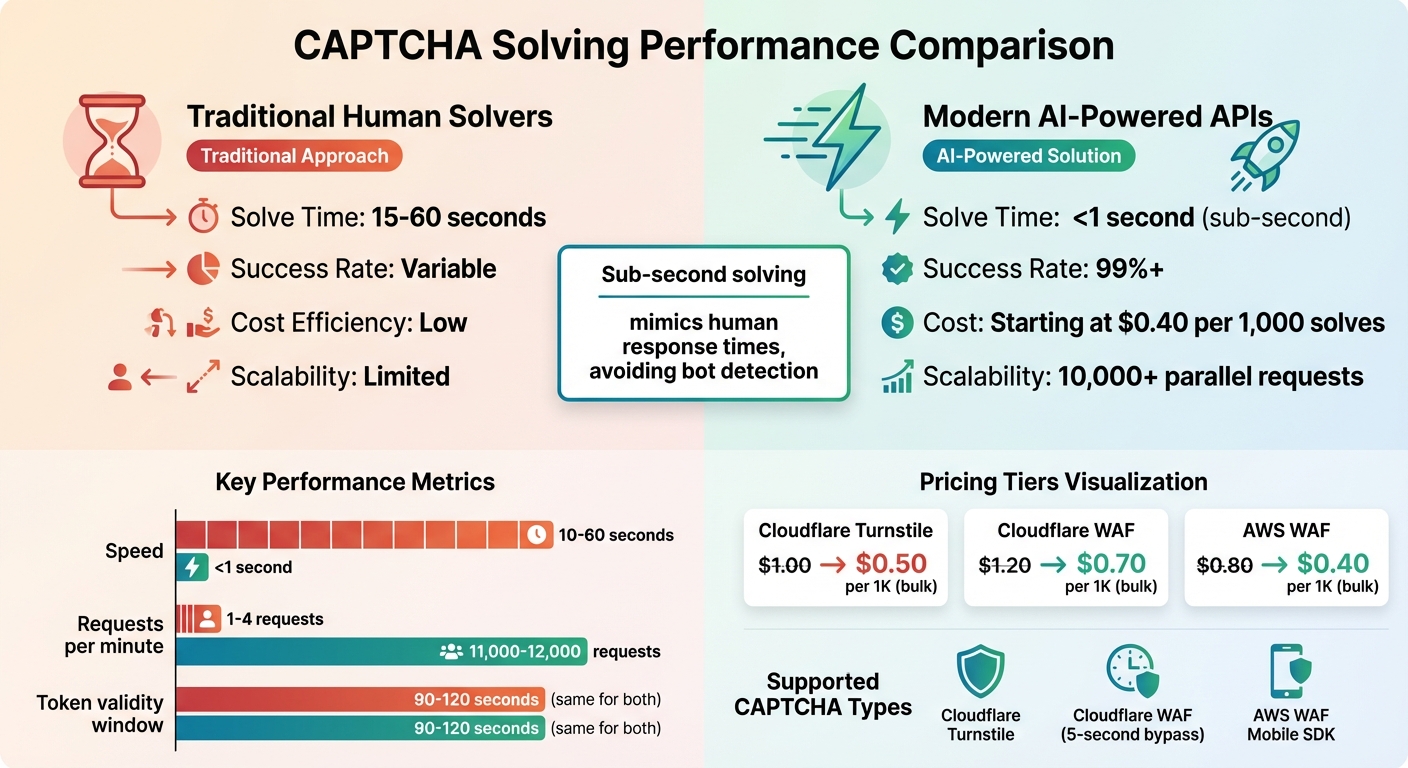
CAPTCHA Solving Speed Comparison: Traditional vs Sub-Second Solutions
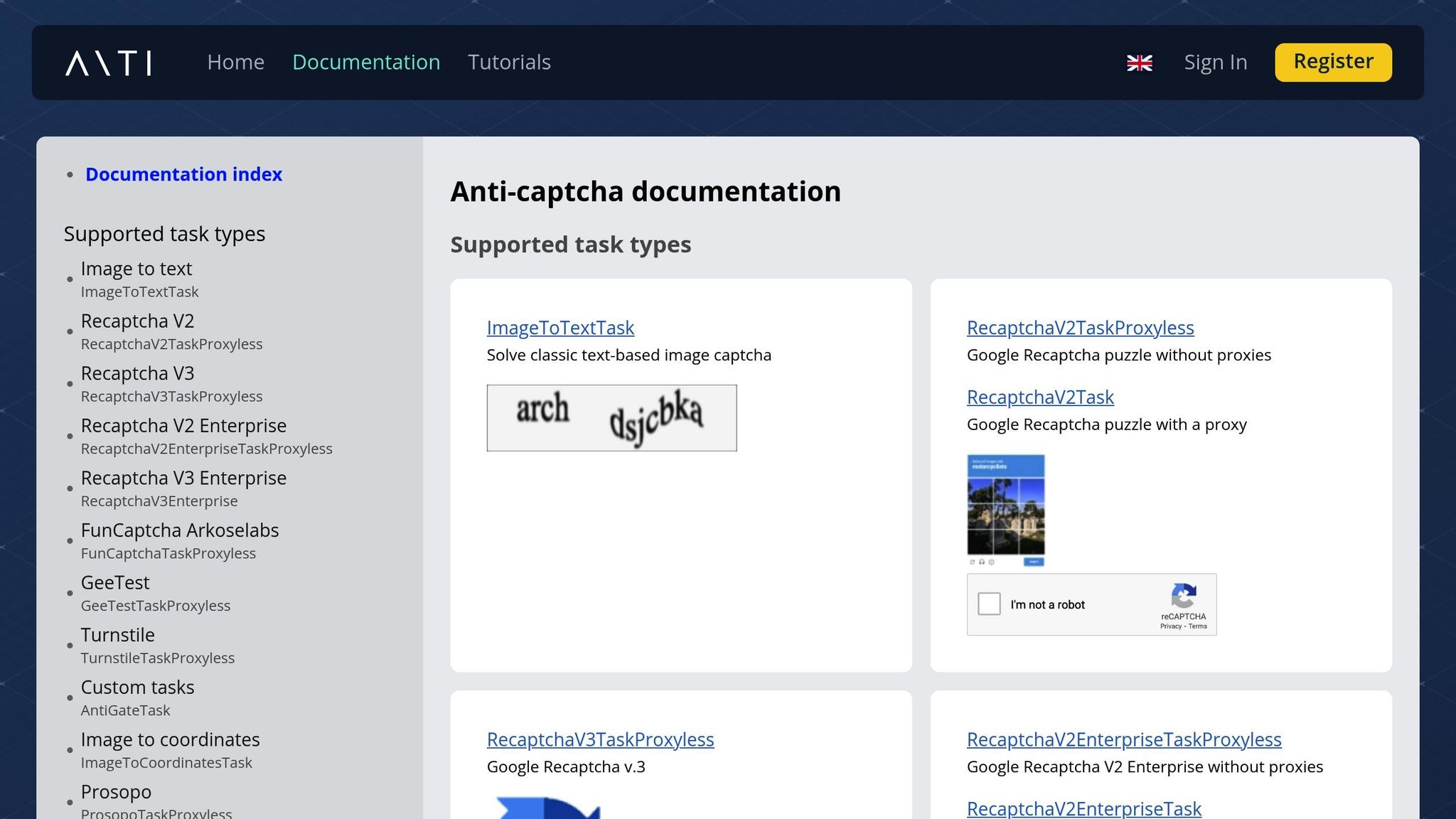
How to solve image captcha with Python and Anti-Captcha API
Selecting Fast CAPTCHA Solving APIs
Picking the right CAPTCHA solving API can make or break your system's performance, especially when sub-second responses are critical. The key factors to consider are solve speed, reliability, and transparent pricing - all crucial for maintaining both efficiency and predictable costs in high-demand environments.
How to Evaluate API Providers
When evaluating CAPTCHA APIs, focus on specific performance metrics. Median solve time (p50) gives you an idea of typical response times, while p95 latency shows how well the service handles traffic surges. The best APIs can process CAPTCHAs in under 1,000 milliseconds, even when managing over 100,000 requests per second.
Another must-have is a 99%+ success rate with minimal false positives. This ensures your operation runs smoothly without unnecessary delays.
Make sure the API supports modern CAPTCHA challenges like Cloudflare Turnstile, Cloudflare WAF, and AWS WAF Mobile SDK. Look for features like distributed edge networks and auto-scaling GPU clusters that can handle 10,000+ parallel requests seamlessly.
"Sub-second response times are table stakes for most use cases in 2026." - AZAPI.ai
Pricing is another critical factor. Opt for services with pay-for-success models, where you’re only charged for completed solves. Bulk packages can also help cut costs by as much as 50%.
One provider that meets these benchmarks is PeakFO, known for its consistent sub-second performance.
PeakFO: Built for Sub-Second Performance
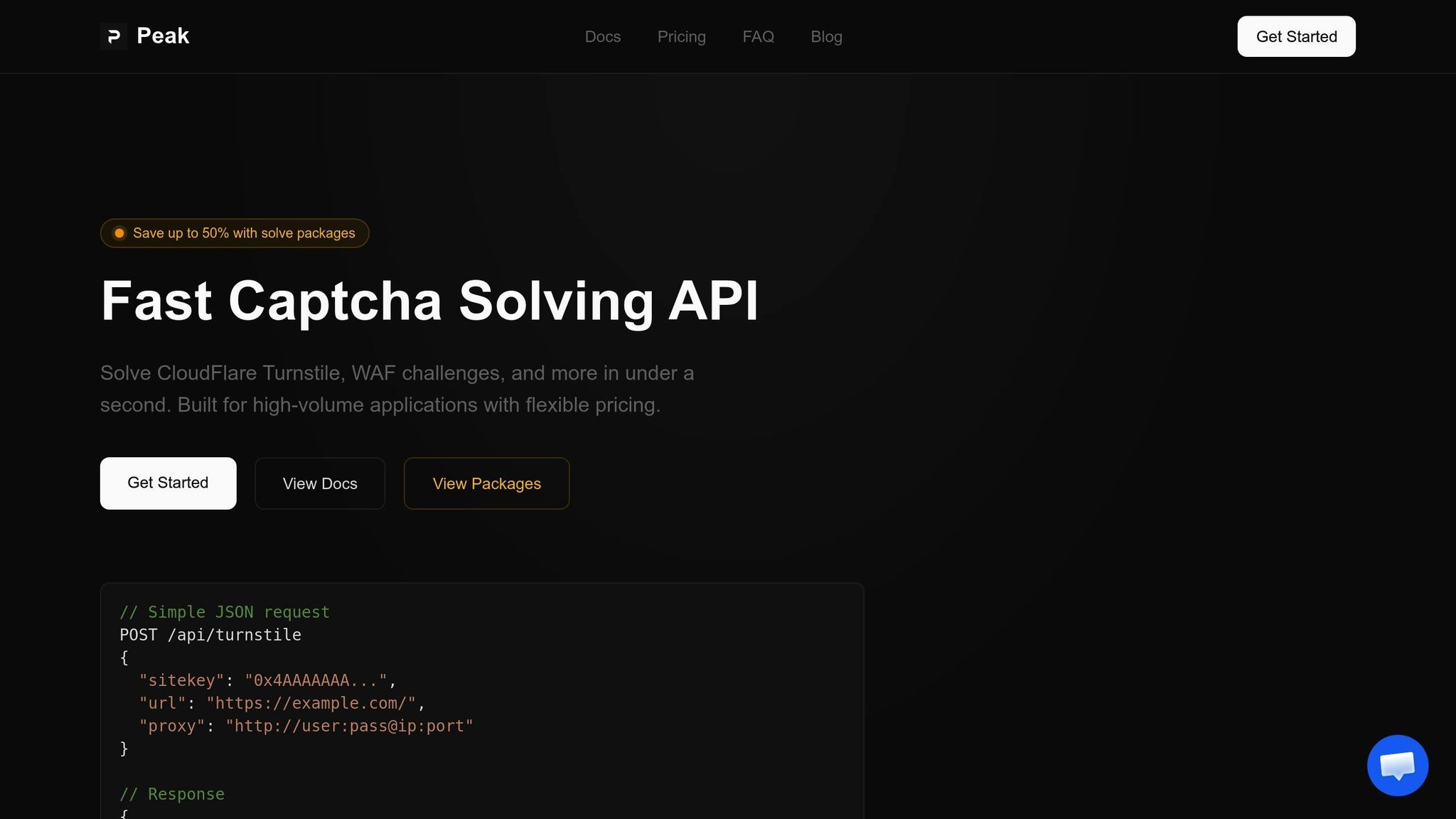
PeakFO stands out by hitting every performance metric you’d expect from a top-tier CAPTCHA solver. It consistently delivers solve times under 1 second for challenges like Cloudflare Turnstile, Cloudflare WAF, and AWS WAF. Even at high volumes, it maintains a 99%+ success rate, making it ideal for handling thousands of CAPTCHAs per minute.
The service supports three key challenge types:
- Cloudflare Turnstile (Interactive, Managed, and Invisible modes)
- Cloudflare WAF (features a 5-second bypass)
- AWS WAF (for iOS and Android Mobile SDK challenges)
Integration is straightforward. With its JSON-based API, you simply submit tasks via a POST request and receive tokens in return.
Flexible Pricing and Payment Options
PeakFO offers pricing plans that adapt to your needs, whether you're in the testing phase or running full-scale operations. Pay-per-solve rates start at:
- $1.00 per 1,000 solves for Cloudflare Turnstile
- $1.20 per 1,000 solves for Cloudflare WAF
- $0.80 per 1,000 solves for AWS WAF
Bulk packages offer even better value. For example:
- 1 million solves for Cloudflare Turnstile costs $500 (or $0.50 per 1,000)
- 1 million solves for Cloudflare WAF costs $700 (or $0.70 per 1,000)
- 1 million solves for AWS WAF costs $400 (or $0.40 per 1,000)
These packages include dedicated API keys and are valid for 30 days, while pay-per-solve balances never expire.
PeakFO also ensures you only pay for successful solves - credits aren’t deducted for failed attempts, timeouts, or proxy errors. Payments can be made using BTC, LTC, ETH, USDT (TRC20/ERC20), or TON. To keep track of your usage, the platform provides a /getbalance endpoint for real-time monitoring of API key balances.
Optimizing API Integration for Speed
Once you've got a high-speed CAPTCHA API in place, the next step is making sure your integration doesn't slow it down. Even the fastest API can be bottlenecked by inefficient network settings or poorly structured calls.
Reducing Network Latency
Network latency is often the main reason for sluggish CAPTCHA solve times. The physical distance between your server and the API's endpoint can create noticeable delays. To counter this, use connection pooling to maintain persistent connections, avoiding repetitive TCP handshakes.
Another key strategy is selecting proxies that align geographically with the target website. This reduces delays and boosts token acceptance rates. Keep in mind that the IP address used to request a CAPTCHA solution must match the IP address submitting the token to the target site. If they don't match, the token will be rejected, forcing you to restart the process. While residential or mobile proxies might be slower than datacenter IPs, they often simplify CAPTCHA challenges, speeding up the overall process.
"The IP address used to submit the CAPTCHA to the solving service must be the same IP address that is making the request to the target website."
- Ethan Collins, Pattern Recognition Specialist, CapSolver
Using regional API endpoints can also cut down on latency. If your application operates across different regions, route requests to the nearest API server. Some providers handle this automatically with distributed edge networks, but if not, you'll need to set it up manually.
For image-based CAPTCHAs, consider using Base64 image encoding. Instead of uploading image files, encode them in Base64 and include them directly in your API request. This reduces processing time and trims off a few milliseconds. Just make sure to keep image files under 5MB for faster transmission.
Once you've optimized for network latency, it's time to refine how you structure your API calls.
Structuring API Calls Efficiently
With latency under control, focus on making your API calls as efficient as possible. Start by implementing conditional logic so the CAPTCHA solver is only called when a challenge is detected. This avoids unnecessary requests, saving both time and resources.
Webhooks can also make a big difference. Instead of constantly polling the API to see if a solution is ready, use a callback URL. This allows the service to push the result to you as soon as it's available. If webhooks aren’t an option, adopt a smarter polling strategy: start after 5 seconds and retry at 5-second intervals.
For handling high volumes, parallel task dispatching is crucial. Rather than sending requests one at a time, structure your system to handle multiple tasks simultaneously. Most modern APIs can support thousands of parallel requests without throttling. That said, be mindful of rate limits. While some services are lenient, staying under 10 requests per second is a safe guideline for maintaining stability.
Lastly, implement smart retry logic with exponential backoff. If a request fails, start with a short delay and gradually increase the wait time with each retry. Allow up to three attempts before marking the task as failed.
Building Infrastructure for Sub-Second Performance
Achieving sub-second performance isn't just about fast API calls - it requires a solid backend infrastructure. Modern systems are designed to scale indefinitely, bypassing human limitations to deliver consistent speed and reliability.
Using Distributed Systems and Edge Networks
Deploying solver nodes across more than 15 global regions can bring latency down to under 0.1 seconds. This distributed setup not only reduces delays but also ensures reliability. If one region faces an issue, traffic is automatically redirected to a functioning node, keeping the system running smoothly.
Parallel processing with dynamic load balancing plays a key role in managing thousands of simultaneous solves per minute without any throttling. For example, PeakFO’s infrastructure can handle unlimited parallel threads while maintaining sub-second solve times for challenges like Cloudflare Turnstile and WAF.
For high-traffic scenarios, queueing systems like Redis or RabbitMQ are invaluable for buffering incoming CAPTCHA requests. Pair these with metadata caching - where site-specific challenge parameters and previously generated tokens are stored - to shave off precious milliseconds on repeat tasks. Together, these strategies ensure both speed and efficiency.
While distributed nodes handle latency, auto-scaling is essential for managing sudden spikes in demand.
Auto-Scaling for Traffic Spikes
Auto-scaling ensures your system maintains sub-second performance even during traffic surges. CAPTCHAs can be processed in just 0.2–0.3 seconds, with the capacity to handle 11,000–12,000 solves per minute using task-specific API endpoints.
To keep performance in check, use monitoring tools like Grafana or Prometheus to track success rates and solve times in real-time. If you notice slower performance, it’s a signal to adjust your infrastructure - whether by adding capacity or upgrading to more advanced task types. Since CAPTCHA tokens typically expire within 90 to 120 seconds, your system must generate and submit tokens almost instantly during high-traffic periods to avoid timeouts.
Lastly, implement IP rotation every 100–500 requests to maintain high trust scores and prevent triggering more complex CAPTCHA challenges. This small but crucial step helps sustain performance and reliability under heavy loads.
Monitoring and Benchmarking Solve Times
Keeping API integration running smoothly is one thing, but ensuring that solve times stay consistently fast is another challenge entirely. Continuous monitoring is key to maintaining sub-second solve times, no matter the conditions. Without real-time insights into your system's performance, you're essentially flying blind.
Key Performance Metrics
When it comes to evaluating performance, latency percentiles tell a more accurate story than average solve times. Focus on metrics like p50 (median), p95, and p99. These percentiles highlight how your system handles regular loads and the toughest scenarios, like the slowest 1% of requests that can frustrate users or disrupt automation workflows.
Real-time dashboards are invaluable for keeping an eye on these metrics. Use the API’s processing_time field to separate solver speed from network latency. For example, PeakFO’s API typically processes challenges in 0.2–0.3 seconds, but total latency might appear higher due to network delays.
Load testing is another critical step. It helps you understand how your system performs under high concurrency, revealing the maximum number of requests per second it can handle before performance starts to degrade.
Don’t forget to monitor token lifespan. CAPTCHA tokens usually expire within 90 to 120 seconds. If your system takes too long to use a token, it becomes worthless, and the automation fails. Tracking the time from token generation to submission ensures you’re staying within that window.
These metrics not only provide insights into performance but also guide you in identifying and resolving bottlenecks.
Finding and Fixing Bottlenecks
Once you’ve established clear metrics, the next step is to pinpoint and address performance issues. If your system slows down, start by isolating the problem. Benchmarking against localhost can help differentiate between internal processing delays and network-related issues. Also, disable request logging during tests - it can boost throughput by as much as 50%.
Polling can be a hidden source of delays. For instance, polling at 5-second intervals can add nearly 5 seconds to your solve time. Instead, switch to webhooks or pingback URLs to eliminate this unnecessary latency.
Keep a close eye on your success rate as a measure of reliability. A drop in the acceptance rate might indicate that the target website has updated its anti-bot defenses, requiring you to adjust your configurations. Automated error reporting can also be a lifesaver. Many services offer refunds for incorrect solves, which should be factored into your cost and performance evaluations.
Another crucial step is maintaining consistent IP addresses through sticky sessions. Mismatched IPs often trigger additional security measures, slowing down the process. Finally, monitor CPU and memory usage to catch resource constraints before they start impacting solve times. These actions help keep your system responsive, even as it scales.
Conclusion
Achieving sub-second CAPTCHA solve times isn’t just about speed - it’s about ensuring every part of the system works seamlessly together. When rapid resolution is critical, the difference between a 10-second solve time and one under a second can make or break your automation workflow.
The process starts with choosing the right AI-powered API provider. For example, human solvers typically take 15–60 seconds per challenge, but PeakFO completes them in under 1 second with a success rate exceeding 99%. Beyond speed, PeakFO offers competitive pricing, starting at just $0.40 per 1,000 solves.
Infrastructure optimization is just as important. Distributed systems spanning over 15 global regions reduce latency, while sticky sessions ensure consistent IP usage. Features like auto-scaling manage sudden traffic surges without performance dips, and conditional solving logic avoids unnecessary API calls by activating solvers only when challenges appear.
To maintain this level of performance, ongoing monitoring is key. Metrics like p95 and p99 latency percentiles provide insights into how well the system handles edge cases. By combining PeakFO's fast response times with optimized infrastructure, smart integration, and proactive monitoring, sub-second CAPTCHA solves become both practical and dependable, even during high-demand situations.
FAQs
What’s the fastest way to get my end-to-end solve time under 1 second?
To achieve lightning-fast sub-second end-to-end solve times, a high-performance CAPTCHA-solving API like Peak API is your best bet. It handles a variety of challenge types, such as CloudFlare Turnstile and WAF challenges, while being fine-tuned for both speed and reliability. Prioritizing smooth API integration can help reduce latency even further and maintain steady, dependable performance.
How do I prevent token rejection due to IP mismatch?
To minimize token rejection caused by IP mismatches, set up an IP allowlist with your CAPTCHA provider. By adding trusted IPs and subnets, you can ensure that reCAPTCHA bypasses verification for these addresses, reducing the likelihood of rejections.
Additionally, consider using high-reputation proxies, such as residential or mobile proxies, to maintain session consistency and avoid detection. Pairing this with proper IP rotation and aligning it with fingerprinting techniques can further reduce the chances of rejection and enhance overall reliability.
How should I measure p95 solve time vs network latency?
Tracking the p95 solve time involves monitoring the 95th percentile of CAPTCHA solve durations. This metric helps identify how long it takes for most users to complete a CAPTCHA challenge. To ensure optimal performance, compare this solve time against network latency metrics. The goal? Keep the solve time at or below the network latency, ensuring sub-second performance.
For reference, Peak API benchmarks showcase this level of performance for supported challenges, proving it's achievable with the right optimizations.